 A world of wonders
Skills
Skill information window
The shortcut key for the skill information window is ' K '
You can choose to view. General skills, Characteristic skills, Mechanical skills.
Learning skills
To learn skills, you need skill points SP and skill experience TP.
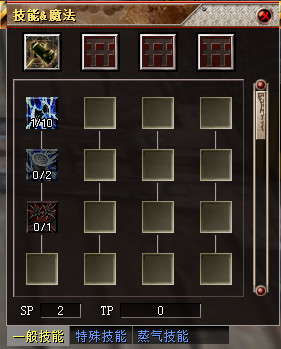
Every time you study, deduct a fixed amount of SP and TP experience for each skill level.
1. Press the shortcut key ( K ) Activate Skill information window.
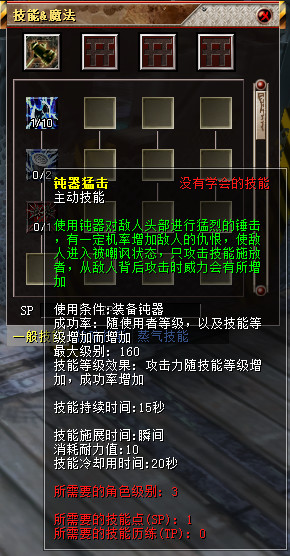
2. If you move to the skill icon, you can see the skill learning requirements and the TP experience value consumed. If you meet the learning requirements, you can move the mouse to the skill icon to use it. Double-click with the left mouse button Skill icons, you can learn skills.
·Use skills
Attack skills are skills that strike the opponent, and are generally used after selecting the opponent.
Gain magic skills
Gainful magic skills are skills that benefit the opponent. Choose the other party Skills can be used later.
use The magic of God At this time, if you don't choose an object and only use skills, you can automatically make it. oneself Benefit from.
Put the skill in the quick window, and you can use the number keys to use the skill conveniently.
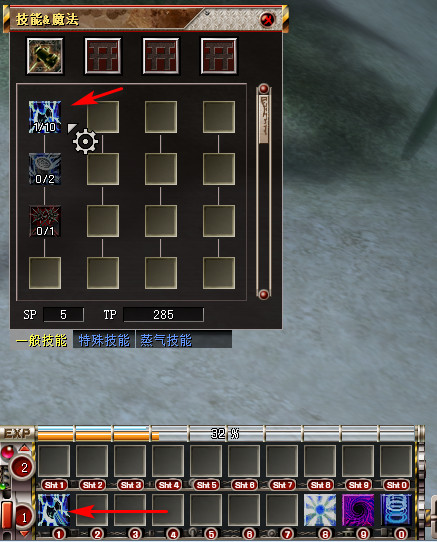
Hold down the left mouse button and drag it to the taskbar to use the shortcut to release the skill.
Characteristic skills
Character skills are skills that the character has at the beginning or automatically has according to the upgrade, which do not consume SP skill points, but only TP skill experience.
Characteristic skills include material production skills, racial characteristic skills, and divine skills of the Elwyth Kingdom, etc.
Characteristic skills can be confirmed in the skill information window [shortcut: K].
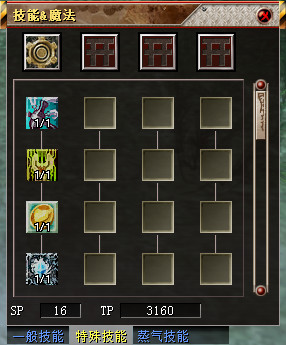
1 . It is showing. Skill line The representative skill ability icon.
2 . Put the mouse on the ability skill icon to see the description of the corresponding skill.
Mechanical skills
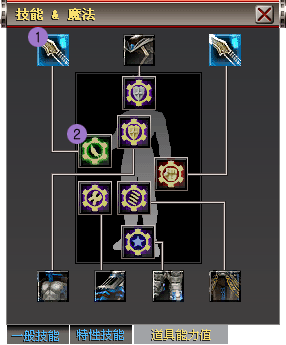
Mechanical skills are more powerful abilities than general skills.
|
|
|
|
|
|